
TechProfuse, Inc. · Irving, Texas, USA · Claude Select Partner · See our Claude services →

Tag: Microsoft 365 Services

  • Office 365 Expired? Here’s What Happens and How to Quickly Renew It

    Office 365 Expired? Here’s What Happens and How to Quickly Renew It

    Office 365 Expired? Here’s What Happens and How to Quickly Renew It

    You open Outlook — and suddenly see a message that your Office 365 subscription has expired. Your emails stop syncing, documents go read-only, and panic sets in. Don’t worry — your data isn’t lost. You just need to understand what happens after expiry and how to renew quickly. At TechProfuse, a Microsoft Certified Partner in…

    You open Outlook — and suddenly see a message that your Office 365 subscription has expired. Your emails stop syncing, documents go read-only, and panic sets in.

    Don’t worry — your data isn’t lost. You just need to understand what happens after expiry and how to renew quickly.

    At TechProfuse , a Microsoft Certified Partner in India , we specialize in fast Office 365 renewals, license restoration, and business continuity support — ensuring you’re never locked out of your essential Microsoft 365 tools.

    What Happens When Your Office 365 Subscription Expires

    Microsoft 365 Copilot is an AI-powered productivity companion built directly into familiar Microsoft apWhen your Microsoft 365 (formerly Office 365) subscription lapses, it doesn’t shut down immediately — Microsoft follows a clear, three-stage process to give you time to renew.

    1. Grace Period (First 30 Days)

    • You can still access all Microsoft 365 apps and data.
    • Renewal reminders start showing up in your dashboard and email.
    • Admins can renew anytime without data loss or service interruption.

    2. Suspended State (31–60 Days)

    • Users lose access to services like Outlook, OneDrive, and Teams.
    • Data is retained but locked — you can’t edit, send, or upload.
    • Admins can still renew and instantly restore full access.

    3. Data Deletion Period (After 60 Days)

    • Microsoft begins permanent deletion of data across all connected services.
    • Emails, files, and settings may be unrecoverable after this stage.

    💡 Note: Renewing during the grace or suspension period ensures zero data loss and instant reactivation .

    How to Check If Your Office 365 Subscription Has Expired

    If you’re unsure of your subscription status, here’s how to confirm it:

    • Visit admin.microsoft.com and sign in as an admin.
    • Go to Billing → Your Products .
    • Check the status beside your plan — Active , Expired , or Suspended .
    • If it’s expired, click Renew Subscription to restart your plan.

    💡 Pro Tip: If you purchased through a Microsoft Partner like TechProfuse , simply contact our support team. We’ll renew your licenses instantly — no credit card or international billing hassles .

    How to Renew Your Office 365 Subscription Quickly

    Microsoft offers two renewal options. Here’s how they work:

    Option 1: Renew Directly from Microsoft

    • Log in to your Microsoft 365 admin account .
    • Click Renew next to your subscription.
    • Choose a billing cycle — monthly or annual.
    • Pay using your saved payment method.

    Option 2: Renew Through a Microsoft Partner (Recommended)

    Renewing via a certified partner like TechProfuse offers key advantages:

    • 💰 Local INR Billing: Avoid currency conversions and foreign transaction fees.
    • ⚡ Instant Activation: Renewal handled instantly with verified Microsoft partner credentials.
    • 👥 Multi-User Support: Manage all licenses under one consolidated account.
    • 🛠️ Expert Help: Includes data backup, plan upgrades, and technical support.

    Can You Still Access Files and Emails After Expiry?

    Here’s what you can and can’t do after your Office 365 license expires:

    ✅ Emails: Still available via Outlook Web Access during the grace period. ✅ Files: Safely stored in OneDrive or SharePoint but become read-only. ❌ Editing: Disabled until the subscription is renewed.

    ⚠️ Warning: Once your account enters the data deletion phase , Microsoft permanently removes your stored data — and it cannot be recovered.

    Common Reasons Office 365 Subscriptions Expire

    Subscription lapses are more common than you think. Some typical causes include:

    • Expired credit cards or failed auto-payments
    • Admins leaving the organization without transfer of ownership
    • Missed renewal notifications
    • Business restructuring or license mismanagement

    💡 TechProfuse Advantage: “Our managed Microsoft 365 services include license tracking , automated renewal alerts , and consolidated billing — preventing unexpected downtime.”

    Tips to Avoid Office 365 Expiry in the Future

    Stay proactive and you’ll never face service interruption again.

    • 🔔 Enable Renewal Reminders: Set up alerts in your Microsoft 365 admin console.
    • 👥 Consolidate Licenses: Manage all users under one central account.
    • 🤝 Partner with TechProfuse: Get automatic renewals with local billing and dedicated support.
    • 💾 Back Up Your Data: Regularly back up critical files on OneDrive or SharePoint.

    How TechProfuse Simplifies Office 365 Renewal

    With TechProfuse , renewing or upgrading your Office 365 subscription is fast, reliable, and effortless:

    • ✅ Quick renewal — even for suspended accounts
    • 🔄 Plan upgrades or downgrades as needed
    • 🧾 Consolidation of multiple subscriptions under one invoice
    • 💸 Local INR billing with GST-compliant invoices
    • ☎️ 24/7 Microsoft-certified support

    “Over 400+ Indian businesses trust TechProfuse for Microsoft 365 renewals, migrations, and managed cloud services.”

    Ready to Reactivate Your Office 365 Account?

    Don’t lose access to your email, files, or Teams data. Renewing your Office 365 subscription takes just minutes — and TechProfuse can handle the entire process for you.

    Your trusted Microsoft Partner in India for fast Office 365 renewals, plan upgrades, and seamless business continuity.
  • A Comprehensive Look at Microsoft 365 Copilot: Features, Pricing, and Use Cases

    A Comprehensive Look at Microsoft 365 Copilot: Features, Pricing, and Use Cases

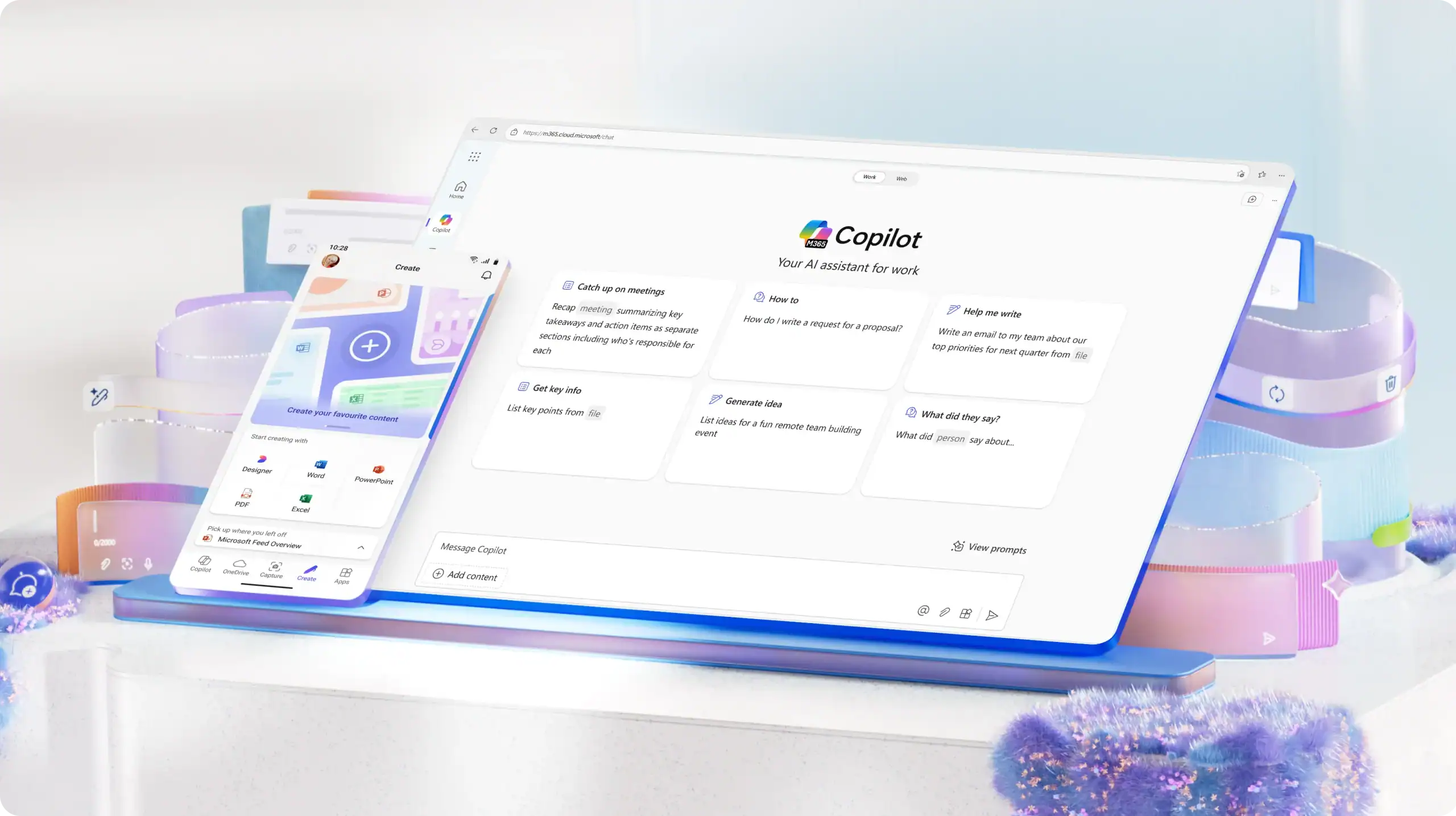
    Artificial intelligence is redefining workplace productivity in 2025. From automating daily tasks to generating insights in seconds, AI is no longer just a futuristic concept — it’s a practical tool transforming how teams work. At the center of this transformation is Microsoft 365 Copilot — an intelligent AI assistant that combines the power of large…

    Artificial intelligence is redefining workplace productivity in 2025 . From automating daily tasks to generating insights in seconds, AI is no longer just a futuristic concept — it’s a practical tool transforming how teams work.

    At the center of this transformation is Microsoft 365 Copilot — an intelligent AI assistant that combines the power of large language models (LLMs) with the context of your business data from Microsoft Graph (emails, chats, documents, and meetings).

    TechProfuse , a certified Microsoft solutions partner in India , helps businesses adopt Copilot seamlessly — from licensing and deployment to training and support.

    “From drafting reports to analyzing spreadsheets — Microsoft 365 Copilot brings the power of AI directly into your daily workflow.”

    What Is Microsoft 365 Copilot?

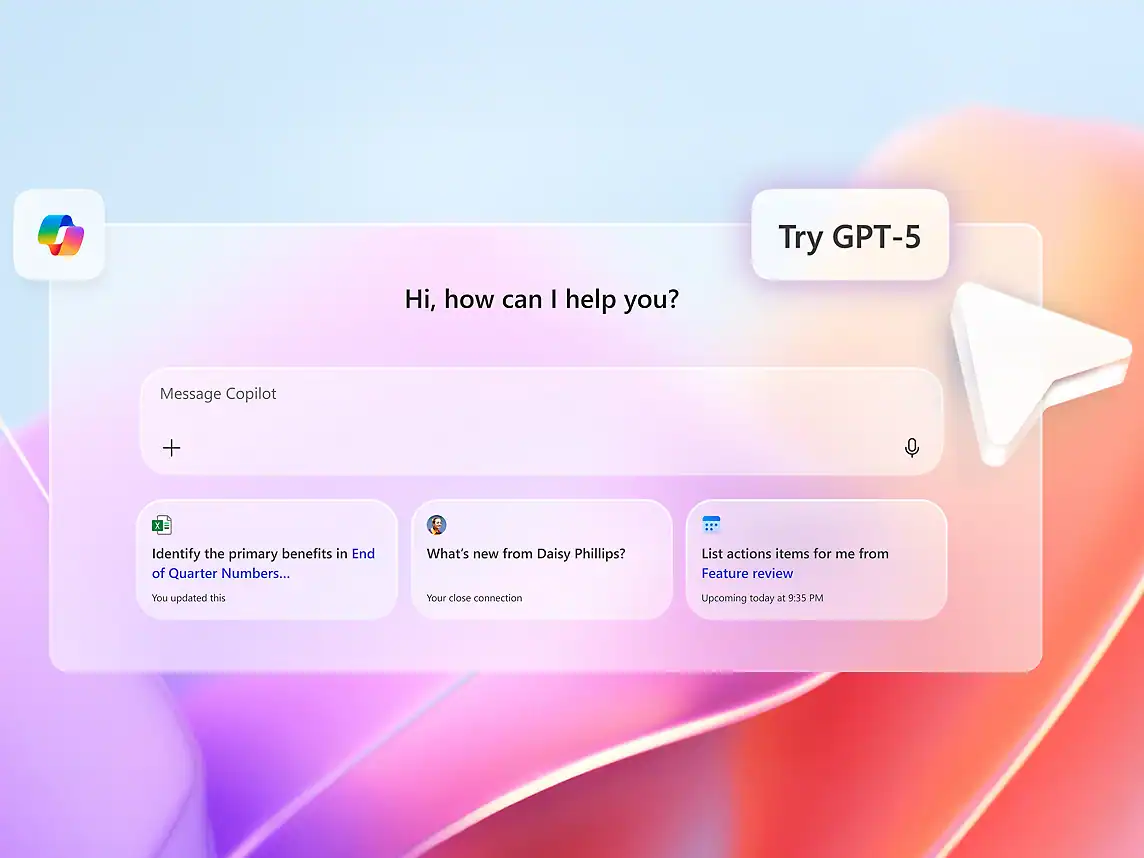
    Microsoft 365 Copilot is an AI-powered productivity companion built directly into familiar Microsoft apps like Word, Excel, PowerPoint, Outlook, and Teams .

    It understands natural language commands, generates content, summarizes data, and automates complex processes — all while maintaining enterprise-grade security and privacy .

    Powered by:

    • Microsoft Graph: Connects to your organization’s emails, documents, meetings, and chats.
    • Azure OpenAI Service: Delivers advanced language understanding and generation capabilities.

    Built-In Compliance & Security: Ensures your company data stays private and protected within the Microsoft Cloud.e.365 the preferred choice for hybrid and remote work models adopted by businesses across India.

    Microsoft 365 Copilot Key Features

    Here’s how Copilot enhances productivity across Microsoft 365 applications:

    1. Copilot in Word

    Write, edit, and summarize documents using natural prompts.

    Example: “Draft a project proposal based on the latest meeting notes.”

    2. Copilot in Excel

    Analyze trends, create visual charts, and summarize large datasets instantly.

    Example: “Show top-performing sales regions in Q2 and visualize in a bar chart.”

    3. Copilot in PowerPoint

    Generate professional presentations in seconds.

    Example: “Create a 5-slide deck on our new marketing strategy using this Word document.”

    4. Copilot in Outlook

    Summarize long email threads, extract key action items, and draft quick replies automatically.

    5. Copilot in Teams

    Get meeting summaries, key discussion points, and follow-up tasks — even if you missed the call.

    Bonus: Microsoft is also integrating Copilot across Loop, Whiteboard, and OneNote for smarter brainstorming and note-taking.

    Microsoft 365 Copilot Pricing in India

    Microsoft 365 Copilot is available as an add-on to select Microsoft 365 plans, including E3, E5, Business Standard, and Business Premium .

    • Indicative Global Price: $30 per user/month ( approx. ₹2,500 in India; pricing may vary )
    • Availability: Rolling out progressively to enterprise and business customers through authorized partners like TechProfuse

    While Copilot is an additional investment, its ROI is substantial — saving employees hours of manual work every week and driving smarter, faster business outcomes.

    Use Cases: How Businesses Are Leveraging Microsoft 365 Copilot

    Copilot isn’t just a tool — it’s a game-changer across departments and industries.

    For Marketing Teams

    Generate campaign briefs, draft blog outlines, and analyze performance reports — all with a single prompt.

    For Finance Departments

    Automate monthly budgeting, detect spending trends, and forecast revenue in Excel.

    For Sales Teams

    Create proposal templates, follow-up emails, and CRM updates directly from Teams chats or Outlook threads.

    For HR & Operations

    Draft job descriptions, onboarding plans, and employee survey summaries in minutes.

    For Executives & Leadership

    Get AI-generated digests of meetings, project updates, and email insights to make faster, data-driven decisions. needs.

    Benefits of Microsoft 365 Copilot for Businesses

    Increased Productivity: Automates repetitive work and reporting.

    Better Decision-Making: Delivers insights from real company data via Microsoft Graph.

    Enhanced Creativity: Helps teams generate ideas, presentations, and reports effortlessly.

    Consistent Quality: Reduces human error and improves document accuracy.

    Data Security: Operates entirely within Microsoft’s secure, compliant cloud ecosystem.

    Microsoft 365 Copilot vs Other AI Tools

    Here’s why Copilot stands apart from typical AI writing or chatbot tools:

    • Deep Integration: Works natively within Microsoft Word, Excel, Outlook, and Teams.
    • Enterprise-Grade Security: Data never leaves your Microsoft 365 environment.
    • Context-Aware Intelligence: Understands your organization’s unique data and workflows.

    “Copilot doesn’t just generate — it understands your workflow, your files, and your goals.”

    How TechProfuse Helps Businesses Implement Microsoft 365 Copilot

    As a Microsoft Certified Partner , TechProfuse ensures your organization gets the full benefit of Copilot with a smooth, secure rollout.

    1. Licensing & Subscription Setup

    Get official Microsoft 365 Copilot add-ons through certified reseller channels.

    2. Deployment & Configuration

    We handle secure deployment across all users with zero disruption.

    3. Training & Adoption Support

    Empower your teams to use Copilot effectively with guided training sessions.

    4. Ongoing Cloud Support

    Enjoy continuous monitoring, optimization, and updates from cloud-certified experts.

    Our specialists ensure Copilot integrates seamlessly with your existing Microsoft 365 setup — enhancing productivity while keeping your data secure.

    The Future of Work with Microsoft 365 Copilot

    AI isn’t replacing employees — it’s empowering them . Microsoft 365 Copilot marks the beginning of a new era where teams focus on innovation and strategy, while AI handles the repetitive, time-consuming tasks.

    2025 is the year to embrace intelligent productivity. Don’t get left behind.

  • Microsoft 365 Solutions in India | Partner with Certified Cloud Experts

    Microsoft 365 Solutions in India | Partner with Certified Cloud Experts

    Microsoft 365 Solutions in India | Partner with Certified Cloud Experts

    Digital transformation is reshaping how companies operate, collaborate, and secure data. In this era of hybrid work and cloud-first operations, Microsoft 365 has become the foundation of modern workplaces — uniting productivity, communication, and security under one intelligent ecosystem. As a Microsoft Certified Partner in India, TechProfuse helps organizations harness the full potential of Microsoft…

    Digital transformation is reshaping how companies operate, collaborate, and secure data . In this era of hybrid work and cloud-first operations, Microsoft 365 has become the foundation of modern workplaces — uniting productivity, communication, and security under one intelligent ecosystem.

    As a Microsoft Certified Partner in India , TechProfuse helps organizations harness the full potential of Microsoft 365 through expert consulting, seamless migration, and ongoing managed support . From SMBs to large enterprises, TechProfuse empowers businesses to simplify workflows, enhance collaboration, and ensure cloud security at scale.

    Why Microsoft 365 Is the Backbone of Modern Business Operations

    The modern workplace depends on connected tools and secure access . Microsoft 365 delivers exactly that — integrating everyday applications such as Word, Excel, Outlook, Teams, OneDrive, and SharePoint into a unified platform.

    Businesses across India rely on Microsoft 365 to enable:

    • 🔒 Secure Cloud Collaboration – Work from anywhere without compromising data integrity.
    • 🌐 Remote Team Connectivity – Stay connected via Teams and shared online workspaces.
    • 📊 Real-Time Data Sharing – Sync and co-edit files instantly with version control.
    • ⚙️ Business Continuity & Compliance – Maintain operations and meet industry regulations.

    Whether you’re a growing startup or a large enterprise, Microsoft 365 provides the flexibility and reliability today’s organizations need to thrive.365 the preferred choice for hybrid and remote work models adopted by businesses across India.

    Comprehensive Microsoft 365 Solutions from TechProfuse

    At TechProfuse, every business engagement begins with understanding your unique environment — then delivering tailored Microsoft 365 solutions designed for performance and compliance.

    1. Cloud Migration Services

    Seamlessly transition from legacy or on-premise systems to Microsoft 365 with zero data loss and minimal downtime .

    2. Deployment & Configuration

    Custom setup for users, devices, and workflows — ensuring secure access , policy alignment , and optimal performance .

    3. Managed Services & Support

    Proactive monitoring, updates, and user management that keep your Microsoft environment running efficiently.

    4. Security & Compliance Solutions

    Implement identity protection , conditional access , and data governance frameworks suited for Indian regulatory needs.

    5. Productivity Training & Adoption

    Boost adoption through customized training sessions — helping teams use tools like Teams, OneDrive, and Power Automate to their full potential.

    Benefits of Partnering with a Certified Microsoft Cloud Expert

    Working with a Microsoft Certified Partner like TechProfuse goes beyond basic licensing — it’s about long-term value and expert guidance.

    When you choose TechProfuse, you get:

    • ✅ Expert plan selection — Choose the right tier (Business Basic, Standard, Premium, or Enterprise).
    • 💰 Localized INR billing and streamlined license management.
    • ⚙️ End-to-end setup, migration, and training handled by certified professionals.
    • 🧠 Dedicated support and account management for every phase of your journey.
    • 🔄 Early access to new features and roadmap insights directly from Microsoft.

    TechProfuse provides industry-specific Microsoft 365 solutions for IT, healthcare, logistics, education, and manufacturing , ensuring every business gets the functionality it needs.

    Microsoft 365 Solutions that Drive Business Growth

    Microsoft 365 isn’t just about tools — it’s about transformation. Here’s how it fuels measurable growth:

    • 💬 Collaboration: Empower teams through Microsoft Teams and shared workspaces for real-time interaction.
    • ⚡ Productivity: Automate repetitive processes with Power Automate and focus on high-value tasks.
    • 🔐 Data Security: Protect sensitive information with multi-factor authentication (MFA) and advanced encryption.
    • 📈 Scalability: Easily add users, storage, and integrations as your organization expands.

    💡 Did you know? 94% of Fortune 500 companies rely on Microsoft 365 for their digital collaboration needs.

    Why Choose TechProfuse as Your Microsoft 365 Partner in India

    TechProfuse isn’t just a service provider — it’s your strategic partner in achieving cloud success.

    Here’s what sets us apart:

    • 🏆 Certified Microsoft Partner with deep implementation and migration expertise.
    • 🔧 Proven success across 500+ Indian SMBs and enterprises.
    • 💼 End-to-end support — from planning to ongoing optimization.
    • 🎯 Strategic alignment — ensuring your Microsoft 365 environment supports your long-term business goals.

    TechProfuse helps you unlock Microsoft 365’s full power — not just for email and storage, but for innovation, automation, and scalability .

    Ready to Modernize Your Business with Microsoft 365?

    Your business deserves secure, scalable, and intelligent productivity tools — backed by experts who understand your goals.

    🚀 Partner with TechProfuse , certified Microsoft cloud specialists in India, to deploy, migrate, and manage Microsoft 365 — the all-in-one platform powering the future of business collaboration.

  • Microsoft 365 Price in India | Affordable Office 365 Plans for Business

    Microsoft 365 Price in India | Affordable Office 365 Plans for Business

    Your browser does not support the video tag. Cloud-based productivity tools have completely transformed how modern businesses operate — from enabling remote work to driving seamless collaboration across teams. Among these innovations, Microsoft 365 (formerly Office 365) stands out as India’s most trusted cloud suite, empowering organizations of all sizes to work smarter, faster, and…

    Cloud-based productivity tools have completely transformed how modern businesses operate — from enabling remote work to driving seamless collaboration across teams. Among these innovations, Microsoft 365 (formerly Office 365) stands out as India’s most trusted cloud suite , empowering organizations of all sizes to work smarter, faster, and more securely.

    Whether it’s creating documents, managing communication, or storing data securely in the cloud, Microsoft 365 offers an all-in-one ecosystem for productivity. With TechProfuse , businesses in India can easily choose the right Microsoft 365 plan , get it deployed efficiently, and optimize their usage — all at the best available price with expert support.

    Why Businesses in India Choose Microsoft 365

    Today’s digital-first workplaces demand integrated communication, collaboration, and security tools that operate seamlessly across devices and locations. Microsoft 365 meets these needs with a powerful suite that includes:

    • Word, Excel, and PowerPoint for productivity
    • Outlook and Exchange Online for secure communication
    • Teams for real-time collaboration and meetings
    • OneDrive and SharePoint for cloud storage and document sharing

    Its cloud-based accessibility ensures that employees can stay productive whether they’re in the office, working from home, or on the go. This flexibility makes Microsoft 365 the preferred choice for hybrid and remote work models adopted by businesses across India.

    Microsoft 365 Plans and Pricing in India

    Microsoft 365 offers a variety of business and enterprise plans designed to suit different organizational needs and budgets.

    • Business Basic – Ideal for startups and small businesses that need online versions of Office apps and cloud email.
    • Business Standard – Perfect for growing teams requiring desktop apps and collaboration tools like Teams.
    • Business Premium – Adds advanced security and device management for SMBs.
    • Enterprise Plans (E3 / E5) – Designed for large organizations needing enterprise-grade compliance, analytics, and data protection.

    Typical monthly pricing ranges in India vary depending on plan type, number of users, and billing cycle. TechProfuse helps you compare options, understand costs, and choose the most cost-effective Microsoft 365 license for your business.

    Comparing Office 365 Business and Enterprise Plans

    While both Business and Enterprise plans deliver core Microsoft 365 capabilities, they differ in scale and advanced functionality:

    Choosing the right plan depends on your organization’s size, compliance requirements, and workflow complexity. For a customized recommendation , consult TechProfuse’s Microsoft-certified experts who can tailor the perfect plan for your business.

    Benefits of Subscribing to Microsoft 365 for Business

    Microsoft 365 is more than just an office suite — it’s a complete productivity ecosystem designed to streamline operations and enhance teamwork.

    Key benefits include:

    • Real-time collaboration via Microsoft Teams and SharePoint
    • Cloud-based file sharing for instant access from any device
    • Cost-effective subscriptions with flexible monthly or annual billing
    • Automatic updates to ensure you always have the latest tools
    • Enhanced business continuity with secure cloud backups and disaster recovery

    With these advantages, Microsoft 365 ensures your business remains agile, connected, and secure — no matter where your team works from.

    Microsoft 365 Pricing Factors in India

    The cost of Microsoft 365 subscriptions in India can vary based on several factors, including:

    • Business size and user count
    • Chosen plan (Business vs. Enterprise)
    • Billing preference (annual vs. monthly)
    • Add-ons such as Power BI, Exchange Online Archiving, or advanced security modules

    At TechProfuse , transparency is key. The team provides clear pricing guidance, license optimization strategies, and volume discounts to help businesses get the most value from their investment in Microsoft 365.

    How TechProfuse Simplifies Microsoft 365 Setup and Management

    As a trusted Microsoft partner in India , TechProfuse offers end-to-end support to simplify your Microsoft 365 journey. Their comprehensive services include:

    • Microsoft 365 implementation and configuration
    • Email migration from legacy systems to Exchange Online
    • Data backup and recovery setup for business continuity
    • Security configuration and user management for compliance and protection

    With TechProfuse, businesses get seamless onboarding, zero downtime migration , and continuous support to maximize ROI from their Microsoft 365 investment.

    Choose the Right Microsoft 365 Plan for Your Business

    In today’s fast-evolving business environment, Microsoft 365 delivers the flexibility, security, and collaboration tools Indian businesses need to stay ahead.

    Whether you’re a startup, SMB, or enterprise, TechProfuse ensures you get the best Microsoft 365 plan and pricing in India , along with reliable deployment and ongoing support.

    Looking for the best Microsoft 365 price in India?

  • Prioritize Your Microsoft 365 Services to Maximize Business Productivity (2025)

    Prioritize Your Microsoft 365 Services to Maximize Business Productivity (2025)

    Prioritize Your Microsoft 365 Services to Maximize Business Productivity (2025)

    Microsoft 365 bundles powerful apps and cloud services that can dramatically improve productivity, security and collaboration — but not every feature matters equally to every business. This guide helps you prioritize the Microsoft 365 services and features that deliver the most value fast, with practical tips you can implement today. Top Microsoft 365 services to…

    Microsoft 365 bundles powerful apps and cloud services that can dramatically improve productivity, security and collaboration — but not every feature matters equally to every business. This guide helps you prioritize the Microsoft 365 services and features that deliver the most value fast, with practical tips you can implement today.

    Top Microsoft 365 services to prioritize

    • Exchange / Outlook — prioritize email hygiene & Focused Inbox Why: Clean, prioritized email reduces distraction and prevents missed action items. Turn on and train users to use Focused Inbox (Focused vs Other) and use rules for high-value senders to stay on top of important messages.
    • Outlook — Ignore Conversation & mailbox management Why: Long group threads create noise. Teach users how to ignore conversation threads that are irrelevant so their inboxes stay actionable. This moves the entire conversation to Deleted and keeps attention on what matters.
    • OneDrive & SharePoint — version history and file recovery Why: Version history prevents accidental loss and simplifies audits. Make sure teams know how to use Version History in OneDrive to view, restore, and manage file versions. This is a lightweight “backup” and collaboration hygiene step that protects work and reduces friction.
    • Excel basics first (freeze panes & status bar) Why: Small productivity wins in Excel add up — freezing header rows and using the Status Bar (sum/average/count) speed data review for analysis and reporting. Prioritize training on these features before advanced macros or Power BI for most teams.
    • Security & identity (MFA, conditional access) Why: Protecting accounts with multi-factor authentication (MFA) and sensible conditional access policies prevents breaches that cost far more than the time to enable them. Make MFA a non-negotiable baseline for all users.
    • Update management (automatic updates & patching) Why: Keep apps patched and up to date automatically. Microsoft 365 Apps create scheduled tasks for automatic updates; admins can choose update channels and policies to balance stability vs. features. Prioritize a managed update policy to avoid security gaps.
    • Cost & license optimization (right-size plans) Why: Microsoft 365 is billed per user/per month. Prioritize matching users to the correct plan (Business Basic / Standard / Premium / Enterprise) so you’re not overpaying for features unused by deskless or occasional users. Review licenses quarterly.

    Practical feature-by-feature notes & quick how-tos

    • Focused Inbox (Outlook) — Explain to users the Focused / Other tabs, how to move messages between them, and how to turn Focused Inbox on/off in Outlook or Outlook on the web. This is an immediate UX win for busy inboxes.
    • Ignore Conversation (Outlook) — Teach users the “Ignore” command (Home > Delete > Ignore) so they can stop noisy threads without manual triage. This moves future replies to Deleted automatically. Use sparingly for mass-thread noise.
    • Smart Lookup note — Microsoft deprecated “Smart Lookup” (search-in-place in Word) starting January 1, 2025; consider training users on alternate research workflows (browser search, integrated copilot tools) if they relied on Smart Lookup. (Important: Smart Lookup retirement affects in-app research workflows.)
    • Freeze Panes (Excel) — Freeze header rows or key columns so long sheets remain readable while scrolling; this is a simple training item with outsized productivity impact.
    • Status Bar (Excel) — Customize the status bar to show Sum, Average, Count for selected ranges — quick checks without writing formulas.
    • OneDrive Version History — Show teams how to right-click a file and select Version History to review or restore prior versions; useful for accidental edits or compliance audits.
    • Updates & patch policies — Set update channels and enforcement using Microsoft 365 Apps update configuration so applications get security updates automatically but avoid unstable beta channels for production users.
    • License review — Review active licenses and adopt a tag for “power user”, “standard user”, and “light user” to assign cost-appropriate plans and reduce waste. Microsoft’s plan pages and comparison tools help identify feature differences.

    Quick prioritization checklist (0–2 week startup rollout)

    • Require MFA for all accounts (enforce via Entra ID / conditional access).
    • Turn on Focused Inbox and publish a 1-page “Inbox hygiene” tip sheet.
    • Enable OneDrive retention/version history policies and train 1 pilot team.
    • Publish Excel best-practices cheat-sheet: Freeze panes, Status Bar tips, basic shortcuts.
    • Audit licenses and reassign or downgrade seats to save costs.
    • Configure automatic update channel for Microsoft 365 Apps (security channel for most users).

    Benefits of prioritizing these services